Active Devices list empty while content is being played. #1655

Closed
opened 2025-12-21 19:13:48 +01:00 by backuprepo · 4 comments
Owner

Originally created by @ghost on GitHub (May 7, 2020).

Describe the bug
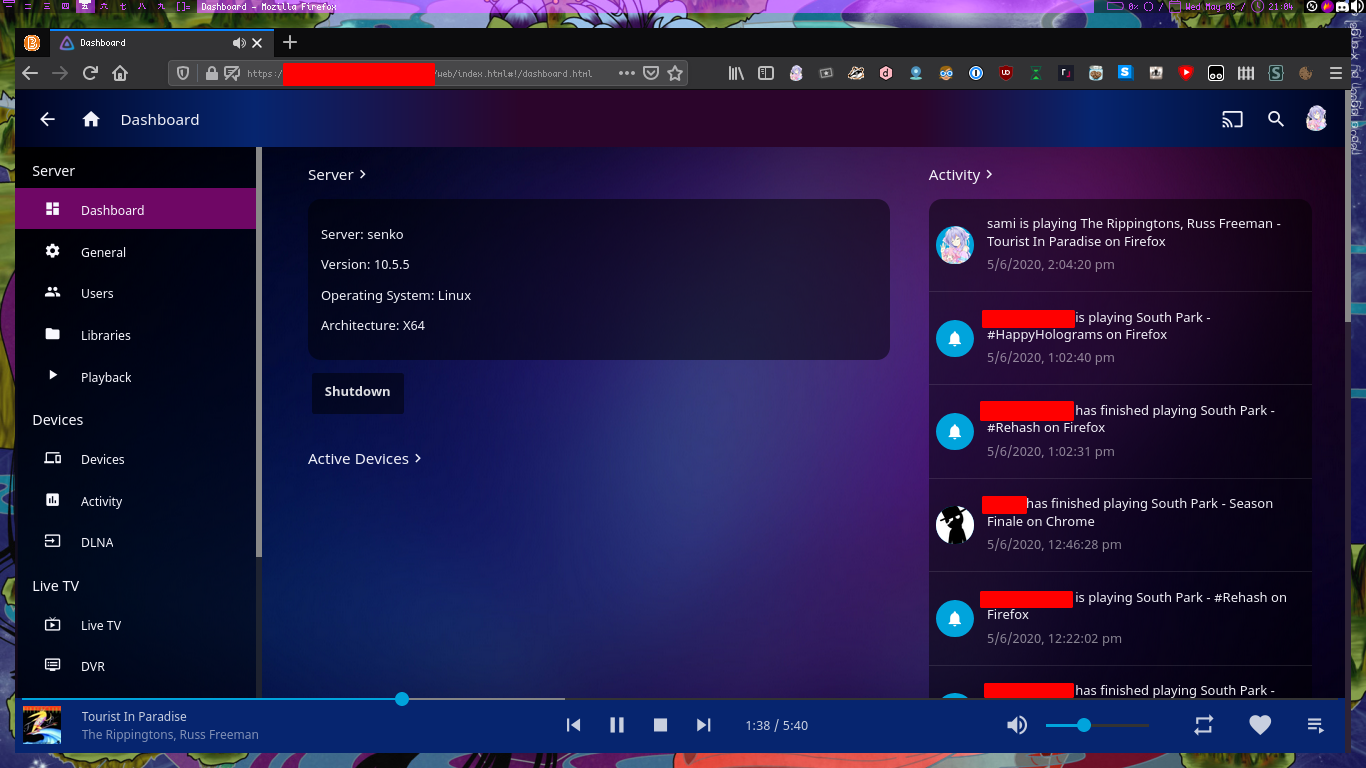
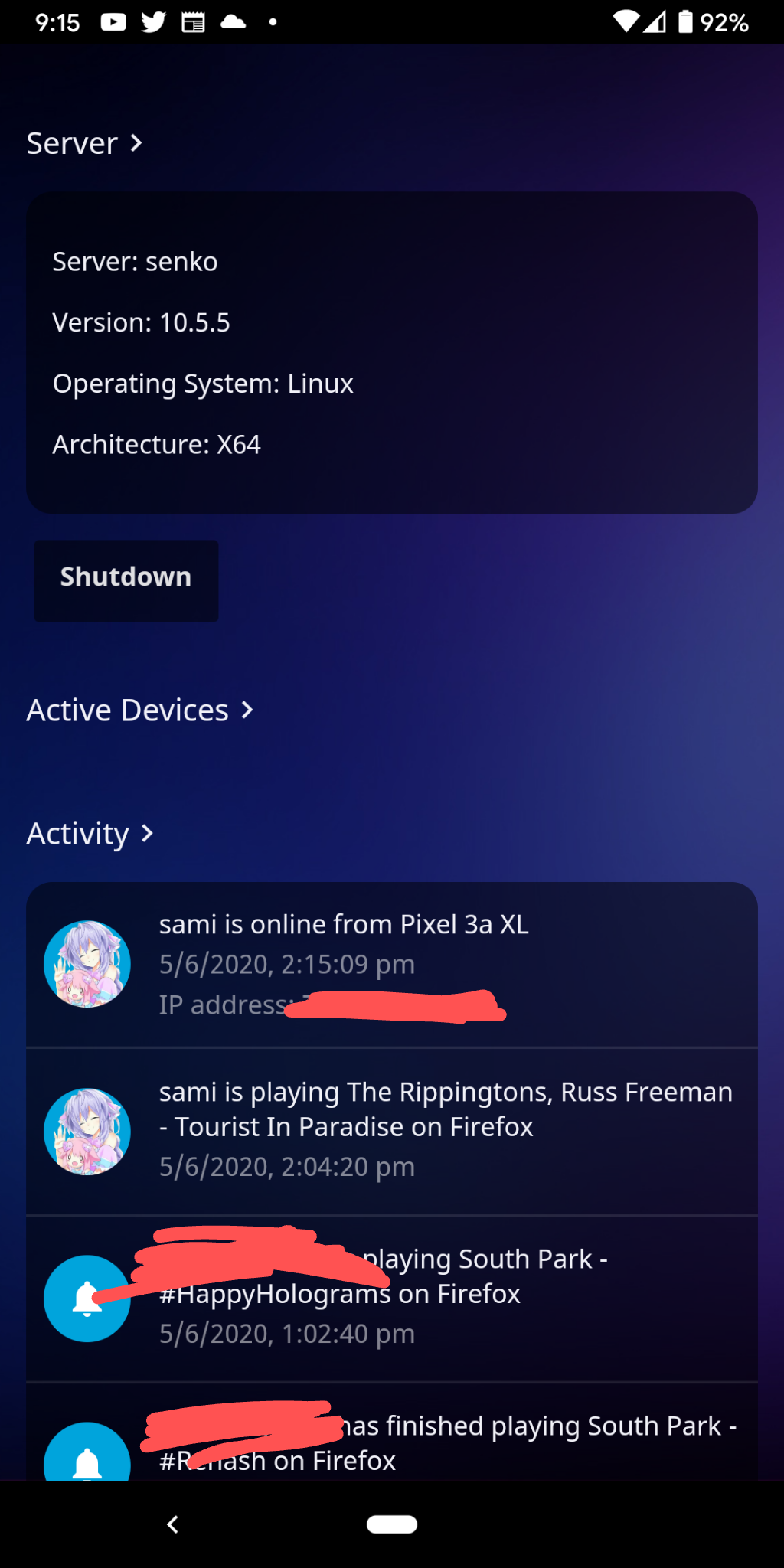
I recently transferred over my Jellyfin install from a virtual machine over to a physical machine along with the configuration files, and now when I go into the dashboard to look at the active devices list, it's empty, even when people are playing content.

System (please complete the following information):

  • OS: Arch Linux x64
  • Virtualization: None, running on baremetal.
  • Clients: All clients.
  • Browser: All browsers.
  • Jellyfin Version: 10.5.5
  • Playback: All.
  • Installed Plugins: AudioDB, Bookshelf, Email Notifications, Fanart, Kodi Sync Queue, MusicBrainz, Open Subtitles, Playback Reporting, Slack Notifications, TMDb Box Sets
  • Reverse Proxy: nginx 1.17.9 (nginx-plus-r21)
  • Base URL: /
  • Networking: Running on physical computer, proxied using Nginx on a "exit" node.
  • Storage: Cloud via PlexDrive

To Reproduce

  1. Load up Jellyfin.
  2. Click the sandwich menu icon in the top left corner.
  3. Click Dashboard, under Admin.
  4. Scroll down to the active devices list.

Expected behavior
Go into the dashboard's Active Devices list and see who is playing content and if it's being direct streamed, or transcoded.

Logs
There are no log errors.

Screenshots
On computer:
image

On phone:
image

Additional context
This did occur when I transferred the /var/lib/jellyfin folder from one machine to another, would there be any file that could've been screwed up during the transfer?

Originally created by @ghost on GitHub (May 7, 2020). **Describe the bug** I recently transferred over my Jellyfin install from a virtual machine over to a physical machine along with the configuration files, and now when I go into the dashboard to look at the active devices list, it's empty, even when people are playing content. **System (please complete the following information):** - OS: Arch Linux x64 - Virtualization: None, running on baremetal. - Clients: All clients. - Browser: All browsers. - Jellyfin Version: 10.5.5 - Playback: All. - Installed Plugins: AudioDB, Bookshelf, Email Notifications, Fanart, Kodi Sync Queue, MusicBrainz, Open Subtitles, Playback Reporting, Slack Notifications, TMDb Box Sets - Reverse Proxy: nginx 1.17.9 (nginx-plus-r21) - Base URL: / - Networking: Running on physical computer, proxied using Nginx on a "exit" node. - Storage: Cloud via PlexDrive **To Reproduce** <!-- Steps to reproduce the behavior: --> 1. Load up Jellyfin. 2. Click the sandwich menu icon in the top left corner. 3. Click `Dashboard`, under `Admin`. 4. Scroll down to the active devices list. **Expected behavior** Go into the dashboard's Active Devices list and see who is playing content and if it's being direct streamed, or transcoded. **Logs** There are no log errors. **Screenshots** On computer: ![image](https://user-images.githubusercontent.com/56494173/81243604-4f0d3a00-8fde-11ea-8efa-93f01f1d594b.png) On phone: ![image](https://user-images.githubusercontent.com/56494173/81243854-f1c5b880-8fde-11ea-847e-7ccfb773f995.png) **Additional context** This did occur when I transferred the /var/lib/jellyfin folder from one machine to another, would there be any file that could've been screwed up during the transfer?
backuprepo 2025-12-21 19:13:48 +01:00
  • closed this issue
  • added the
    bug
    stale
    labels
Author
Owner

@cschlesselmann commented on GitHub (Dec 25, 2020):

I'm having the same issue, i didn't transfer my install tho. Not sure when exactly this behaviour started.

I'm running the linuxserver/jellyfin docker image.
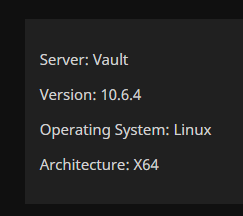
image

@cschlesselmann commented on GitHub (Dec 25, 2020): I'm having the same issue, i didn't transfer my install tho. Not sure when exactly this behaviour started. I'm running the linuxserver/jellyfin docker image. ![image](https://user-images.githubusercontent.com/7516742/103139156-c3b1f780-46d9-11eb-80cb-963b9e959c0b.png)
Author
Owner

@stale[bot] commented on GitHub (Jun 3, 2021):

This issue has gone 120 days without comment. To avoid abandoned issues, it will be closed in 21 days if there are no new comments.
If you're the original submitter of this issue, please comment confirming if this issue still affects you in the latest release or nightlies, or close the issue if it has been fixed. If you're another user also affected by this bug, please comment confirming so. Either action will remove the stale label.
This bot exists to prevent issues from becoming stale and forgotten. Jellyfin is always moving forward, and bugs are often fixed as side effects of other changes. We therefore ask that bug report authors remain vigilant about their issues to ensure they are closed if fixed, or re-confirmed - perhaps with fresh logs or reproduction examples - regularly. If you have any questions you can reach us on Matrix or Social Media.

@stale[bot] commented on GitHub (Jun 3, 2021): This issue has gone 120 days without comment. To avoid abandoned issues, it will be closed in 21 days if there are no new comments. If you're the original submitter of this issue, please comment confirming if this issue still affects you in the latest release or nightlies, or close the issue if it has been fixed. If you're another user also affected by this bug, please comment confirming so. Either action will remove the stale label. This bot exists to prevent issues from becoming stale and forgotten. Jellyfin is always moving forward, and bugs are often fixed as side effects of other changes. We therefore ask that bug report authors remain vigilant about their issues to ensure they are closed if fixed, or re-confirmed - perhaps with fresh logs or reproduction examples - regularly. If you have any questions you can reach us on [Matrix or Social Media](https://docs.jellyfin.org/general/getting-help.html).
Author
Owner

@Infinite-im commented on GitHub (Oct 26, 2022):

I have experienced this issue. In my case it seemed to be caused by the Skin Manager plugin.

I wasnt able to deactivate or uninstall the plugin using the GUI so I stopped the jellyfin service, manually deleted the Skin Manager plugin directory from /var/lib/jellyfin/plugins and started the jellyfin service.

After restarting the Jellyfin Media Player on the various computers i use for playback the dashboard now correctly displays the active devices and their activity.

@Infinite-im commented on GitHub (Oct 26, 2022): I have experienced this issue. In my case it seemed to be caused by the Skin Manager plugin. I wasnt able to deactivate or uninstall the plugin using the GUI so I stopped the jellyfin service, manually deleted the Skin Manager plugin directory from /var/lib/jellyfin/plugins and started the jellyfin service. After restarting the Jellyfin Media Player on the various computers i use for playback the dashboard now correctly displays the active devices and their activity.
Author
Owner

@VoidAny commented on GitHub (Jun 14, 2024):

I tried uninstalling Skin Manager and it did not solve problem.

The solution that worked for me was properly setting my system clock.

I moved my jellyfin to a new server and its system clock was not set properly and that is what caused the problem. After setting it properly with ntpdate ntp.ubuntu.com and hwclock -w and restarting jellyfin, the active devices section was working again. Thanks to the guy on reddit who posted this as a solution.

@VoidAny commented on GitHub (Jun 14, 2024): I tried uninstalling Skin Manager and it did not solve problem. The solution that worked for me was properly setting my system clock. I moved my jellyfin to a new server and its system clock was not set properly and that is what caused the problem. After setting it properly with `ntpdate ntp.ubuntu.com` and `hwclock -w` and restarting jellyfin, the active devices section was working again. Thanks to the guy on reddit who posted this as a solution.
Sign in to join this conversation.
No milestone
No project
No assignees
1 participant
Notifications
Due date
The due date is invalid or out of range. Please use the format "yyyy-mm-dd".

No due date set.

Dependencies

No dependencies set.

Reference: starred/jellyfin#1655
No description provided.