no thumbnails = Jellyfin unusable as photo album #1091

Closed
opened 2025-12-21 18:03:12 +01:00 by backuprepo · 14 comments
Owner

Originally created by @gvhagopian on GitHub (Nov 28, 2019).

Describe the bug
I have about 6,000 jpeg images that I've scanned from negatives. They are about 15 MB each. I stored each roll of film in its own folder, so there are 200 folders in my image library. Jellyfin's approach to this problem apparently is to load 200x15MB worth of image files into the browser's memory when viewing the library. This completely schlongs the browser and the network connection. Even if I just open one folder, it still barely works because it loads the full sizes of every image in the folder into browser memory, even though it only shows 100KiB worth of that data in the thumbnails.

To Reproduce

  1. Prepare a directory with 200 folders each containing 30 15 MB Jpeg files.
  2. Add a new library to Jellyfin, choose "photos" as the type and add the folder with the JPEGs.
  3. Scan new files, wait for everything to fully process.
  4. From the home page, try to open the library.

Expected behavior
Jellyfin should have processed the images and created a database of different versions of each image, or even just a database of thumbnails would be a huge improvement. It should also only load thumbnails for the subdirectories in that library that are currently scrolled into view.

System (please complete the following information):

  • OS: Ubuntu 18.04 server, Windows 10 1903 client
  • Browser: Brave (chromium 78)
  • Jellyfin Version: 10.4.1
  • Reverse proxy: traefik
Originally created by @gvhagopian on GitHub (Nov 28, 2019). **Describe the bug** I have about 6,000 jpeg images that I've scanned from negatives. They are about 15 MB each. I stored each roll of film in its own folder, so there are 200 folders in my image library. Jellyfin's approach to this problem apparently is to load 200x15MB worth of image files into the browser's memory when viewing the library. This completely schlongs the browser and the network connection. Even if I just open one folder, it still barely works because it loads the full sizes of every image in the folder into browser memory, even though it only shows 100KiB worth of that data in the thumbnails. **To Reproduce** 1. Prepare a directory with 200 folders each containing 30 15 MB Jpeg files. 2. Add a new library to Jellyfin, choose "photos" as the type and add the folder with the JPEGs. 3. Scan new files, wait for everything to fully process. 4. From the home page, try to open the library. **Expected behavior** Jellyfin should have processed the images and created a database of different versions of each image, or even just a database of thumbnails would be a huge improvement. It should also only load thumbnails for the subdirectories in that library that are currently scrolled into view. **System (please complete the following information):** - OS: Ubuntu 18.04 server, Windows 10 1903 client - Browser: Brave (chromium 78) - Jellyfin Version: 10.4.1 - Reverse proxy: traefik
backuprepo 2025-12-21 18:03:12 +01:00
  • closed this issue
  • added the
    stale
    bug
    labels
Author
Owner

@JustAMan commented on GitHub (Nov 28, 2019):

I would classify this more as a feature request than a bug. We accept feature requests here: https://features.jellyfin.org/

@JustAMan commented on GitHub (Nov 28, 2019): I would classify this more as a feature request than a bug. We accept feature requests here: https://features.jellyfin.org/
Author
Owner

@leepan8 commented on GitHub (Dec 26, 2019):

It looks that emby has support for thumbnail images that has the expected behavior described above.

@leepan8 commented on GitHub (Dec 26, 2019): It looks that emby has support for thumbnail images that has the expected behavior described above.
Author
Owner

@JustAMan commented on GitHub (Jan 10, 2020):

What Emby has or has not is irrelevant, we're completely separate.

@JustAMan commented on GitHub (Jan 10, 2020): What Emby has or has not is irrelevant, we're completely separate.
Author
Owner

@Nickbert7 commented on GitHub (Jan 10, 2020):

It worked in the past

With version 10.3.7 the images get served scaled:
72165315-8caedd00-33c7-11ea-8bba-39a68be54bb1

On 10.4.3 I get the full images:
72166217-21fea100-33c9-11ea-9322-7582766d1c35

@Nickbert7 commented on GitHub (Jan 10, 2020): It worked in the past With version 10.3.7 the images get served scaled: ![72165315-8caedd00-33c7-11ea-8bba-39a68be54bb1](https://user-images.githubusercontent.com/14938497/72813451-a079ff00-3c63-11ea-8454-0790b4bc336c.png) On 10.4.3 I get the full images: ![72166217-21fea100-33c9-11ea-9322-7582766d1c35](https://user-images.githubusercontent.com/14938497/72813419-922be300-3c63-11ea-99bb-5759ce8df050.png)
Author
Owner

@Nickbert7 commented on GitHub (Jan 21, 2020):

Could it be caused by this PR? https://github.com/jellyfin/jellyfin-web/pull/512

@Nickbert7 commented on GitHub (Jan 21, 2020): Could it be caused by this PR? https://github.com/jellyfin/jellyfin-web/pull/512
Author
Owner

@dkanada commented on GitHub (Jan 21, 2020):

I believe this has already been reverted on master for the list views.

@dkanada commented on GitHub (Jan 21, 2020): I believe this has already been reverted on master for the list views.
Author
Owner

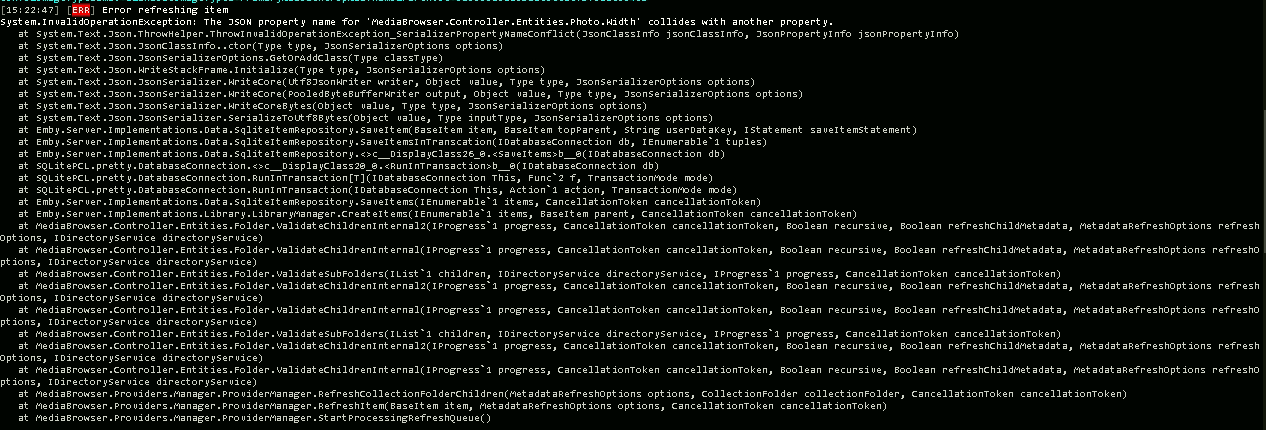
@Nickbert7 commented on GitHub (Jan 21, 2020):

Also with the current jellyfin-web master I get the big files:
image

I cannot test it with the full nightly builds as I get another error if I scan the photo library:
image

I just tested a few old versions and it has to be something between 10.4.0 and 10.4.1

@Nickbert7 commented on GitHub (Jan 21, 2020): Also with the current jellyfin-web master I get the big files: ![image](https://user-images.githubusercontent.com/14938497/72813156-2f3a4c00-3c63-11ea-89a5-963329ba23e0.png) I cannot test it with the full nightly builds as I get another error if I scan the photo library: ![image](https://user-images.githubusercontent.com/14938497/72813216-45e0a300-3c63-11ea-9dbc-5ff19b4dde59.png) I just tested a few old versions and it has to be something between 10.4.0 and 10.4.1
Author
Owner

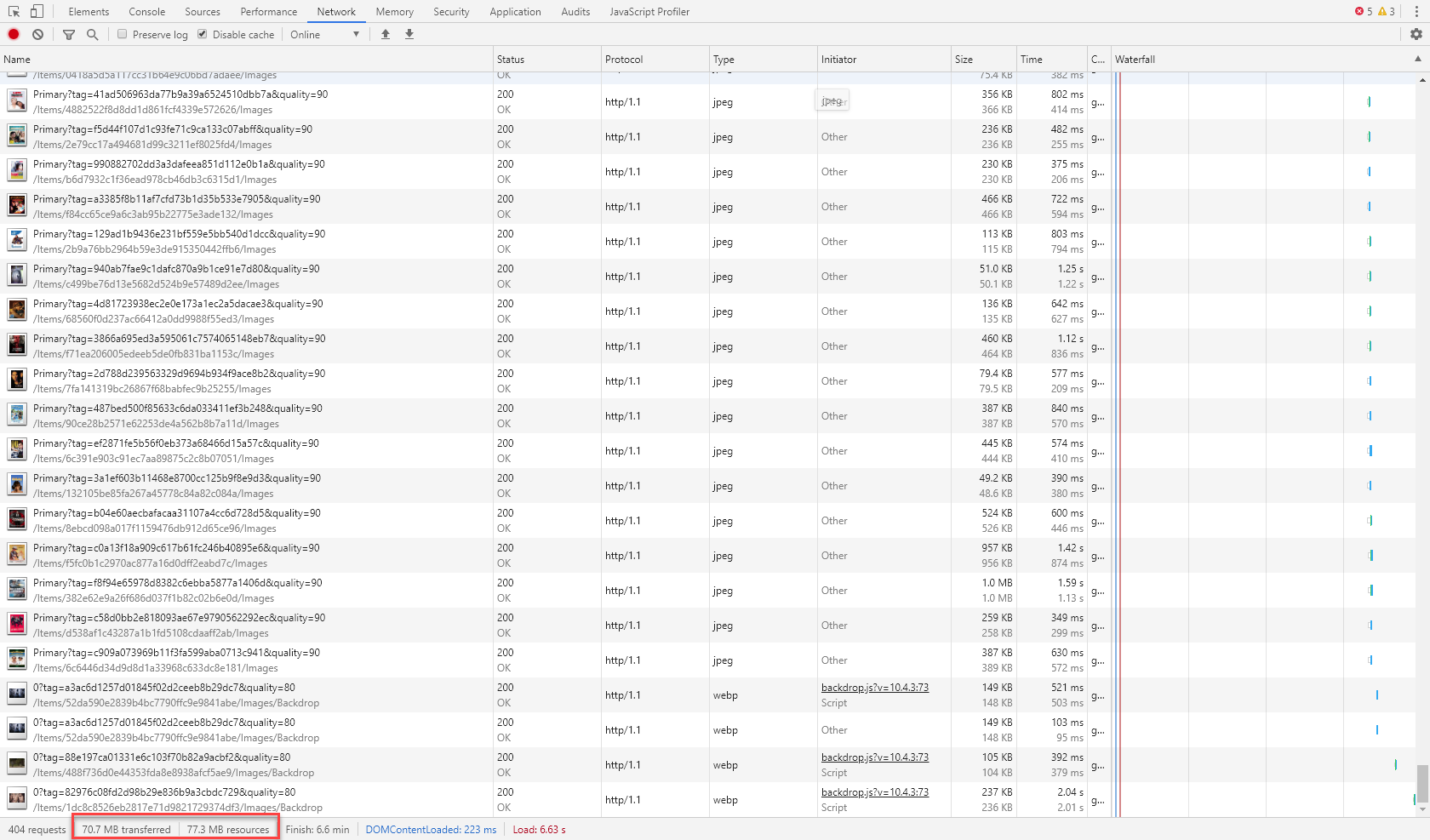
@Nickbert7 commented on GitHub (Jan 27, 2020):

Also for the list view (if you mean the list of all movies) the full posters are getting transferred. It takes over 30 MB to scroll through the first 100 movies.

image

If I go on to the movies 100 - 200 we are already over 70 MB:
image

@Nickbert7 commented on GitHub (Jan 27, 2020): Also for the list view (if you mean the list of all movies) the full posters are getting transferred. It takes over 30 MB to scroll through the first 100 movies. ![image](https://user-images.githubusercontent.com/14938497/73186246-b41fdc80-411f-11ea-9310-56f5e7b1862d.png) If I go on to the movies 100 - 200 we are already over 70 MB: ![image](https://user-images.githubusercontent.com/14938497/73186555-390af600-4120-11ea-96ca-46f01a25a926.png)
Author
Owner

@ferferga commented on GitHub (Feb 5, 2020):

Could you please see how much time does JavaScript execution takes for you?

Open developer tools in your browser (F12 normally) > Performance > Record. Reproduce the laggy stuff. Stop recording and see how much time did your browser take to process JavaScript. Attach an screenshot please.

@ferferga commented on GitHub (Feb 5, 2020): Could you please see how much time does JavaScript execution takes for you? Open developer tools in your browser (F12 normally) > Performance > Record. Reproduce the laggy stuff. Stop recording and see how much time did your browser take to process JavaScript. Attach an screenshot please.
Author
Owner

@Nickbert7 commented on GitHub (Feb 5, 2020):

This is how it looks if I open an album in my photo library (web version is from the current nightly)
image

@Nickbert7 commented on GitHub (Feb 5, 2020): This is how it looks if I open an album in my photo library (web version is from the current nightly) ![image](https://user-images.githubusercontent.com/14938497/73847889-701b8e80-4827-11ea-955e-f17f0a44bb7a.png)
Author
Owner

@ferferga commented on GitHub (Feb 5, 2020):

@Nickbert7 what about in movies/music and so on linraries? You both seem to have in common something I didn't expect when making the PR and they are photo libraries (I have none). DSLR or scanned photos have poor compression/quality ratio algorithms and they are definitely needed there. Posters from TMDB usually come with a really good compression algorithm. My fault for not thinking in that edge case.

Something server side should be applied, but also I'm thinking in making a plug-in that automatically runs a scheduled task to optimize media image's of metadata.

Modern browsers are really good showing many huge photos, the problem is that 15 MB/photo is too much. Also, the scripting we inherited from emby chogs things a lot (try it yourself, load the same amount of images in a HTML and check how much quicker it is with the same amount of photos than jellyfin).

@ferferga commented on GitHub (Feb 5, 2020): @Nickbert7 what about in movies/music and so on linraries? You both seem to have in common something I didn't expect when making the PR and they are photo libraries (I have none). DSLR or scanned photos have poor compression/quality ratio algorithms and they are definitely needed there. Posters from TMDB usually come with a really good compression algorithm. My fault for not thinking in that edge case. Something server side should be applied, but also I'm thinking in making a plug-in that automatically runs a scheduled task to optimize media image's of metadata. Modern browsers are really good showing many huge photos, the problem is that 15 MB/photo is too much. Also, the scripting we inherited from emby chogs things a lot (try it yourself, load the same amount of images in a HTML and check how much quicker it is with the same amount of photos than jellyfin).
Author
Owner

@Nickbert7 commented on GitHub (Feb 5, 2020):

In the movie library it is not such bad
image

Here can you see how it looks like at the moment:
https://imgur.com/a/NlilNmZ

@Nickbert7 commented on GitHub (Feb 5, 2020): In the movie library it is not such bad ![image](https://user-images.githubusercontent.com/14938497/73851106-3c436780-482d-11ea-8026-6be54fdeb8df.png) Here can you see how it looks like at the moment: https://imgur.com/a/NlilNmZ
Author
Owner

@JustAMan commented on GitHub (Mar 12, 2020):

This should probably be somewhat resolved by https://github.com/jellyfin/jellyfin-web/pull/907

@JustAMan commented on GitHub (Mar 12, 2020): This should probably be somewhat resolved by https://github.com/jellyfin/jellyfin-web/pull/907
Author
Owner

@stale[bot] commented on GitHub (Jul 10, 2020):

This issue has gone 120 days without comment. To avoid abandoned issues, it will be closed in 21 days if there are no new comments.
If you're the original submitter of this issue, please comment confirming if this issue still affects you in the latest release or nightlies, or close the issue if it has been fixed. If you're another user also affected by this bug, please comment confirming so. Either action will remove the stale label.
This bot exists to prevent issues from becoming stale and forgotten. Jellyfin is always moving forward, and bugs are often fixed as side effects of other changes. We therefore ask that bug report authors remain vigilant about their issues to ensure they are closed if fixed, or re-confirmed - perhaps with fresh logs or reproduction examples - regularly. If you have any questions you can reach us on Matrix or Social Media.

@stale[bot] commented on GitHub (Jul 10, 2020): This issue has gone 120 days without comment. To avoid abandoned issues, it will be closed in 21 days if there are no new comments. If you're the original submitter of this issue, please comment confirming if this issue still affects you in the latest release or nightlies, or close the issue if it has been fixed. If you're another user also affected by this bug, please comment confirming so. Either action will remove the stale label. This bot exists to prevent issues from becoming stale and forgotten. Jellyfin is always moving forward, and bugs are often fixed as side effects of other changes. We therefore ask that bug report authors remain vigilant about their issues to ensure they are closed if fixed, or re-confirmed - perhaps with fresh logs or reproduction examples - regularly. If you have any questions you can reach us on [Matrix or Social Media](https://docs.jellyfin.org/general/getting-help.html).
Sign in to join this conversation.
No milestone
No project
No assignees
1 participant
Notifications
Due date
The due date is invalid or out of range. Please use the format "yyyy-mm-dd".

No due date set.

Dependencies

No dependencies set.

Reference: starred/jellyfin#1091
No description provided.